Photo Editing Software for Windows 11 and Windows 10
Modern photo editing software optimized for Windows 11 and also compatible with Windows 10, Windows 8 and Windows 7 - Very easy to use – All well-known photo-editing features.The simple photo editing software was designed specifically for users who want an easy Windows 11 photo editing software with a clear menu, intuitive operation and practical tools for everyday photo editing. FotoWorks XL is optimized for Windows 11 and can also be used as photo editing software for Windows 10, making it a good choice for beginners, home users and users of all ages.




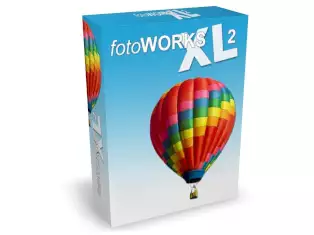 FotoWorks XL offers you everything that a good photo editing software for Windows 11 should offer, together with a very short training period.
Digital image editing should be fun. Who likes to struggle with inflated and highly complicated software with too many functions that are often not needed, if it can be much easier? For everyone who wants to start creative image editing without a long learning curve, we recommend our Windows 11 photo editing software FotoWorks XL. The program is also suitable for users who still work with Windows 10.
For image editing, there are many different programs today for the most diverse requirements. Therefore, every user should first think about what he expects of such a program. Much depends on how much experience he brings in the field of image editing, in what form he wants to edit photos and which functions are most important to him.
Operating system: Microsoft Windows ® 11 / 10 / 8 / 7 32Bit & 64Bit
Minimum resolution: 1024x768 pixels
RAM: 512 MB
Min. Processor: 1 GHz
Free hard disk space: 80 MB
FotoWorks XL - Windows 11 Photo Editing Software
Photo Editing Software for Windows 11, Windows 10 and Its Application Areas
What is meant by edit photos? To edit a photo means the computer-assisted editing of photos or digital images. Mainly computer-aided digital imaging is used to remove vulnerabilities in photos that are common when shooting photos. These include shooting errors such as underexposure, low contrast, red flashes or disturbing objects in the picture, just to name a few examples.However, a digital post-processing of the images is enormously important when it comes to the impression of the final image in the viewer. Precise tools for cropping, straightening, and adjusting brightness make a photo editing software helpful when preparing images for web use. Batch processing and watermark features further improve the workflow in everyday use of photo editing software. All images, which are published today, both on the Internet and in the print media, have previously been edited in any way.
Of course, post-processing of the photos has the main purpose of eliminating shooting errors such as poor exposure, red-eye or lack of contrast, but also to work creatively with images, making them more interesting with photographic effects or light reflections and, for example, the images for creating interesting photo collages or individual photo calendars and photo albums. All this should be done for the beginner without much training.
Screenshot of Photo Editing Software for Windows 11 and Windows 10
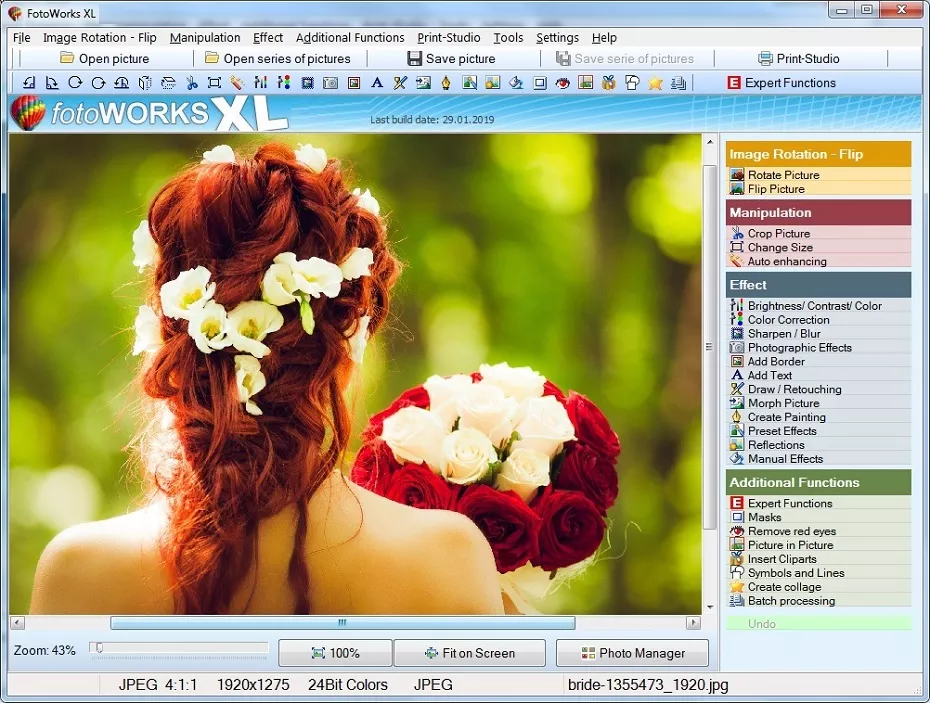
Picture of the Windows 11 and Windows 10 photo editing software
Windows 11 Photo Editing Software with Easy Operation
The application areas to edit images are far-reaching and limited in principle only by the lack of know-how of the user. Another possible application of image editing is the stylish transformation of a photo. These include photo effects such as labeling images, morphs, masks, color filters and light reflections and much more.
You have made beautiful pictures, for example, of holidays or a frolicsome family celebration and would now like to quickly and easily, but professionally optimize your images and change their design?
Photo Editing Software for Windows 11 - Free Download
On our website we offer a simple and compact Windows photo editing software optimized for Windows 11 and also suitable for Windows 10. With this Windows 11 photo editing software, it is easy to optimize your valuable snapshots in a jiffy and then continue to work on them creatively. We are also proud to be listed on this page among the free photo editing software for PC. The menu structure is clearly built up and all important functions are always in view, as well as the original image and the edited version of the photo for better control of what has caused which applied effect.
Are you interested in how to fix exposure errors in your snapshots quickly and then print your photos? With the help of the innovative photo editing software, perfect picture editing is a breeze! Either you can use the automatic picture optimization function or turn the controls yourself and edit your pictures manually according to your own ideas.
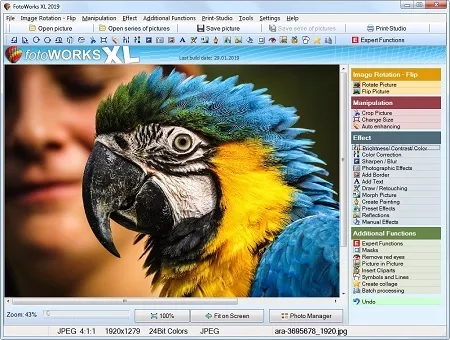
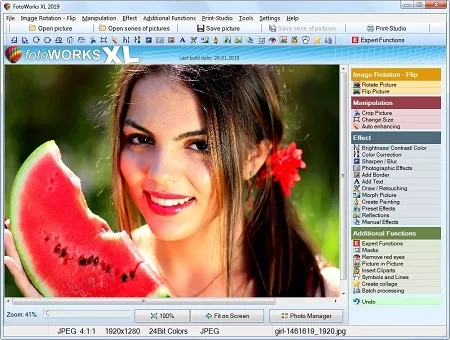
Photo Editing Software for Windows 11 Free Download
You will see, image editing has never been so easy! Download the program here for free and test it indefinitely! The software is optimized for Windows 11 and can also be used on Windows 10.Lots of New Photo Effects and Additional Features in the Windows 11 Photo Editing Software
Direct e-mailing of images as a PDF file directly from the program is possible, as well as a time-saving processing of entire image series with the help of practical batch processing functions. For example, optimize the exposure of an entire image folder or image series, or add a watermark copyright notice to all your images to prevent theft and the use of your photos by strangers, for example, when viewing the photos in social networks or websites. Of course, the program also supports the import of RAW files.On top of that, the photo editor for Windows 11 contains many interesting photo editing effects to make your pictures shine in new splendor and make them more interesting. The Windows photo editing software is upgraded with numerous additional features such as the printing studio, as well as the function for creating individual photo calendars, photo cards and photo albums. Of course, photo prints in all standard sizes can also be prepared and printed.
When Do You Need Some Photo Editing Software?
With the photo editing software can you quickly edit photos on the PC.Editing images with some photo editing software has become a matter of course today. Still, many of these programs are still very expensive. Of course, in a Creative Suite you have many editing options for absolute professionals. But: Do you really need all this, if you just want to quickly edit photos?
Photo Editing Software download for free
If you want to edit photos for the private sector, you can resort to a cheap alternative. And also, if you want to edit graphics or images in the professional area, you can use cheap photo editing software. Because one thing is also clear: Well-known manufacturers always pay for the name and expensive advertising campaigns. Programs for photo editing such as FotoWorks XL, on the other hand, do without costly advertising: this price saving is passed on directly to you!
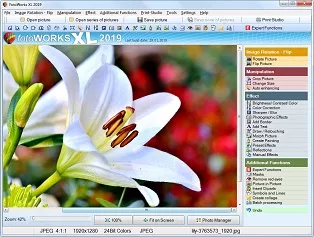
What Can Photo Editing Software Do?
The photo editing software Windows 10 offers many cool effects and filters.With photo editing software you can apply numerous filters and effects. For example, you cannot just filter any certain color out of an image, but also add colors. There are also many different art filters and paint filters in the program. With sharpness and blur you can direct the focus of the viewer specifically to the essential components in the image. This way, a picture becomes interesting. Many effects are easily applied via presets. For advanced users, the effects and filters can also be set manually. In the photo editing software test, the program could be rated as "very good".
In addition, one can with the photo editing software create collages in no time. For example, just make a collage from the photos with friends or from the last party. With FotoWorks XL, the perfect photo collage is just a few mouse clicks away. Also the combination of several pictures is possible. Creating collages on PC has never been as comfortable as with FotoWorks XL. In this portal you can find various software with an objective evaluation.
Also you can use the Windows 10 image editing software to send photos directly by e-mail. Show your best pictures to your friends and acquaintances. The functions for image editing and images are very extensive in the program. Then refine your works with cool effects and amaze the viewer. Here you can start Download of the program.
Edit Photos
With only one click you can remove red eyes in the program. Similarly, exposure errors or color errors are fixed in a breeze. In addition, you can adjust the contrast of images and regulate, so that your images receive the full brilliance. The automatic image enhancement feature is there for you when editing an image needs to be fast. Edit pictures on your own PC in no time.
Create Photo Collage
Create your own photo collages from your pictures. With the Windows 10 photo editing software this is no longer just experts possible. Add pictures to texts, add shapes and clipart to the picture - With the photo editing software you can realize that in just a few clicks. You can also apply effects, even via preset. Create impressive picture collages.
Retouch Photos
The perspective is not exactly met or skin folds disturb in the picture? With the photo editing software for Windows 10 this is no longer a problem. You can retouch pictures with just a few clicks. In this way, you make a faulty image an ideal image. Now enhance photos and pictures with the retouching tools or the drawing function. With the photo studio for PC, this is quick and easy.
Facts about the Photo Editing Software
Do You Need Expensive Programs for Image Editing?
Many think that it takes expensive software to realize the editing of images. This is not the case, because programs like FotoWorks XL let you work directly on the images you took with the digital camera. The image editing software Windows 10 allows you to edit your pictures directly on the PC. You do not need expensive special software for this, and you can confidently stay away from a course on image editing. br />Photo Organizing Software
A Photo Organizing Software Is Also Helpful for Photographers
Photo organizing software is an exceptional service for photo organization and delete duplicate images.It is an indispensable program that will certainly help them arrange image libraries much better, and secure their reminiscences from potential picture loss. Using photo organizing software is a sensible choice for digital photographers who intend to take their picture organization and defense to the following degree. By having that photo organizing software, photographers are rest assured that their picture collections are secure and safe and secure from image loss, and they are concentrating more on the innovative procedure.
Photo Editing Software – FAQ
-
What is the best software for photo editing?
-
The best photo editing software is the program which meets the area of use of the user. For the particular clientele is recommended:
- Fotoworks XL - Best suited for beginners as well as professionals.
- Serif Affinity Photo - Suitable for photographers with photo editing skills
- Adobe Photoshop - Professional program
-
Which photo editing software is best for beginners?
-
Important for the best photo editing software for beginners is that the program is intuitive to use. As a rule of thumb is recommended:
- Fotoworks XL - Usable without previous knowledge
- ACDSee Photo Studio Ultimate - Recommendable for users with PC knowledge
- Corel PHOTO-PAINT - Professional program
-
What is the best easiest photo editor?
-
Generally, the best easiest photo editor is the program that shows certain criteria that the photo editor must have. It is crucial that everyone who wants to edit photos gets the best photo editor that meets their requirements. For the particular clientele is suggested:
- Fotoworks XL - No training period
- GIMP - Designed for users with PC knowledge
- Adobe Photoshop - Photo editing software for professional use
-
What program can I use to make a photo montage?
-
The program Fotoworks XL offers the green screen method for making a photo montage, with which the background of objects can be removed very precisely. This object without background can then be inserted into any other image. To do this, proceed as follows:
Step 1: Open the desired image and select Expert Functions, Copy and Paste (Professional Method).
Step 2: Cut out the object using the green screen method for the photomontage.
Step 3: Create the photomontage and paste the cropped image into a new photo.
The photomontage is ready! Creating a photomontage can be this easy!